There’s only two months left until Telstra switches off its 3G network, with other telcos to follow. Do you have any 3G devices running quietly in the background, performing important tasks?
Things like 3G SMS alarm units, remote access modems, older IoT devices or 3G routers that keep on-site equipment online will all stop working when the network is shut down.
So now’s the time to upgrade your devices to 4G or 5G models, and make sure you don’t get caught out by equipment outages or failed alerts.
Remember that 3G devices can be complex, and the people who originally set them up for you may have moved on. This can make it harder and more time consuming to work out exactly how each device is configured and what it needs to do. That’s why it’s so important to take action now, to allow enough time to work through the required functionality and set up suitable replacements.
What kinds of applications are 3G devices used for?
You can find legacy 3G devices in myriad applications, including:
Alarm monitoring.
Weather stations.
Electricity meters.
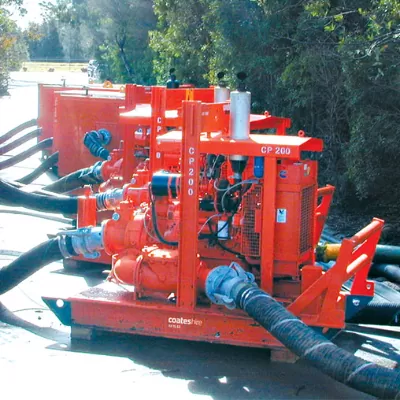
Pumping stations.
Server room monitoring systems with SMS alerts.
Fridge/freezer/cool room monitoring systems in hospitals, path labs, pharmacies, manufacturing, etc with SMS modems for alerts.
Vehicle tracking systems.
SCADA and industrial control systems.
Diesel generators.
Movable plant and equipment, such as mining and heavy construction machines, trailer mounted pumps and generators.
What kinds of devices need upgrading?
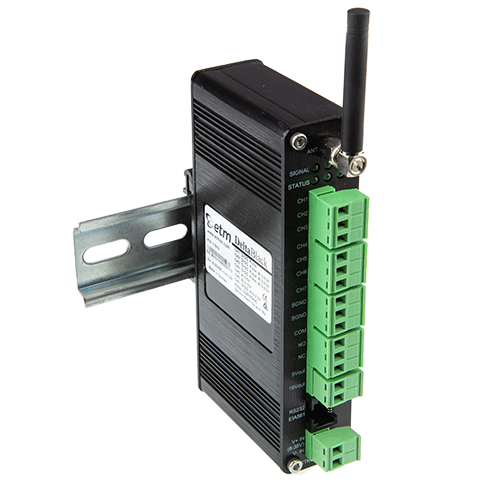
Industrial 3G devices come in a variety of forms and functionalities, but here are the most common types:
Digital signage displays with integrated 3G connectivity.
What happens if you don’t upgrade 3G devices?
Industrial 3G devices are always installed for a reason, whether it’s to alert personnel of critical situations like high temperatures or tank overflows, send important measurement data to a server for analysis, provide remote access to important assets or keep track of vehicle locations. The 3G shutdown will bring all these processes to an abrupt halt if devices are not upgraded. This can have a big impact on businesses: missed alerts, service disruptions, costly repairs and equipment down-time. Ultimately, this can cost money, cause major inconvenience and affect people’s lives.
It might be tempting to leave the upgrade until the network is switched off. But this can make it much harder. In many cases, 3G devices have been installed a long time ago, and there may not be adequate documentation to allow people to understand the functions and requirements. If you upgrade now, you have time to run tests and find out what devices are doing on the 3G network. If you wait until 3G is gone, it can be very difficult to gain an understanding of the devices’ functions without having the network available to test with.
Security impacts
3G networks and devices were designed at a time when global security challenges were less advanced. With every year that goes by, more vulnerabilities are exposed and more technologies are developed to protect the security of critical assets. Reviewing your remote access/alerting arrangements and upgrading your equipment to 4G or 5G will make sure that you are on top of the latest developments in security.
For example, sophisticated 4G networks such as Telstra now support SIM cards with “virtual private networks”, allowing M2M devices to communicate with one another directly over cellular networks without exposure to the internet. This avoids the risk of putting devices onto the public internet, which exposes them to hackers and malicious attacks. This kind of SIM card is available through Esis.
How to go about upgrading 3G devices
Step 1: Find out what 3G devices your organisation is using, across all your sites. You can use the above application list as a starting point, and talk to department heads, facility managers and engineers to put together a list of what needs replacing.
Step 2: Find out exactly what each device is doing. Try to find documentation from when it was installed, or talk to staff who operate the system and know what it’s meant to do. Visit the sites and check how the devices are installed, and take photos of the installation, including antennas and cabling to other equipment.
Step 3: Call the experts at Esis to discuss the best 4G or 5G devices to fit each application. As cellular networking is inherently complex, it’s always better to speak with an expert rather than trying to figure it out for yourself. There are many pitfalls and intricacies that are not obvious to the average user.
Step 4: Take action and order replacement equipment as soon as possible. Try and get it installed before the networks close their 3G services.
Step 5: After installation, run a full test on all the functions. Make sure the new equipment is fulfilling its requirements. Make use of Esis’ experienced technical support engineers to help resolve any issues that come up.
Contact us now to find out how we can help save you time and make sure you get the best, most cost-effective solution for your needs. Esis engineers are experts in cellular connectivity, offering solutions from ETM, Lantronix, Netcomm, Advantech, CyberVisuell, Teltonika and more. With more than 50 years supplying industrial technology solutions, you can trust the Esis team to get it right!