
When ageing industrial PCs fail, it’s rarely an easy situation. When the PC is running part of a production process, the consequences can be immediate and costly. Often the PC will degrade quietly. Intermittent lock-ups, unexplained reboots, or I/O faults begin to appear, often dismissed as minor issues until the system finally fails.
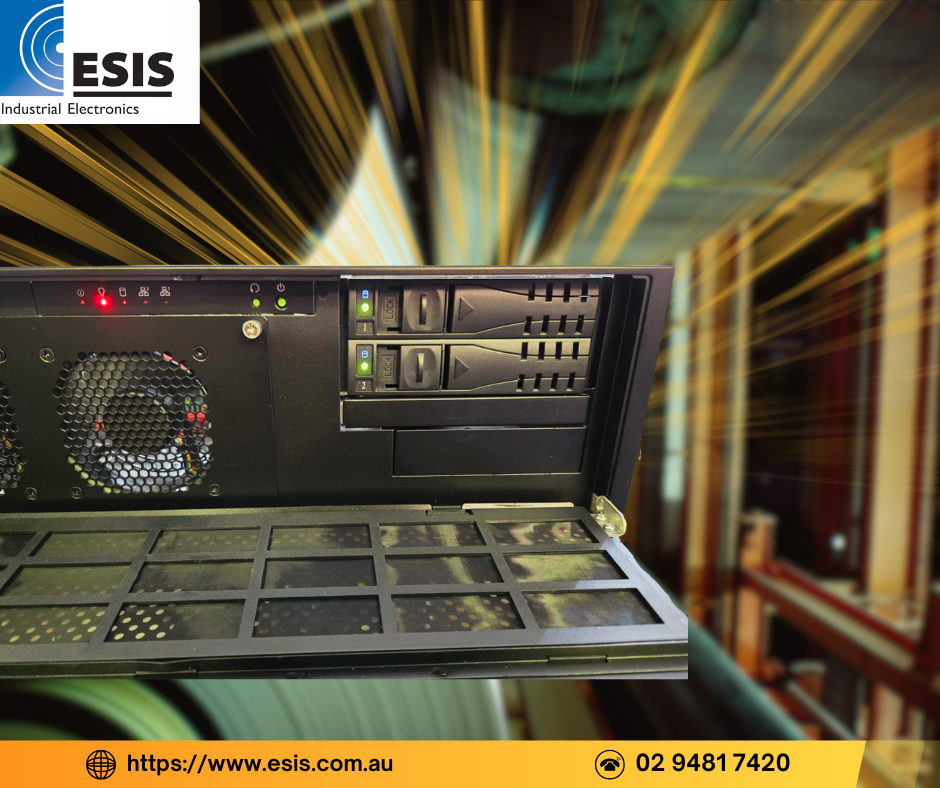
Recently, a paper manufacturer in Sydney contacted ESIS after a critical industrial PC failed without warning. The system was running Windows XP and controlled part of their plant. When the motherboard failed, the factory was forced into a partial shutdown. Every hour offline was costing the business money, and the pressure to restore operation was intense.
This type of scenario is becoming increasingly common. But before replacing an ageing industrial PC under urgency, there are five key questions to ask.
1. What role does the PC play in the process?
In the paper manufacturer’s case, the PC was not just logging data or providing an interface. It was actively controlling part of the plant through a dedicated industrial digital I/O PCI card and communicating with other equipment. The PC also used a RAID array to support continuous operation.
Understanding exactly what the PC does, how it interacts with the process, and what happens when it stops is the first step. This defines whether the system is just inconvenient to lose, or operationally critical.
2. Are there legacy hardware dependencies?
The failed PC at the paper factory contained a specific industrial PCI digital I/O board that had been in service for many years. Modern industrial PCs do not always support older PCI expansion cards, and ISA support is even rarer.
While it’s still possible to build industrial PCs with legacy expansion slots, suitable chipsets and motherboards are becoming harder to source. Availability changes frequently, and options that exist today may not be available in six months.
In this case, ESIS was able to quote a new custom built industrial PC that supported the required PCI expansion slot and RAID configuration, and was compatible with Windows XP (a difficult requirement to meet these days). However, hardware compatibility is only part of the challenge.
3. What software and OS constraints exist?
The system was running Windows XP with application software that had been commissioned many years earlier and never updated. While the operating system and software were stable, they were also entirely unsupported.
Even when hardware compatibility can be achieved, there are still unknowns. Will drivers for the legacy PCI card install cleanly on new hardware? Can the operating system be configured to match the original system behaviour? Will licensing or activation issues arise when the application is installed on a new machine?
One possible approach is to duplicate the hard drive from the failed PC and transfer it to the new system. In practice, this often fails due to chipset and driver incompatibilities, particularly with older operating systems such as Windows XP.
4. What is the risk tolerance during replacement?
Under normal circumstances, these unknowns can be worked through methodically. Under production pressure, they become unacceptable risks.
Despite ESIS being able to supply a locally built industrial PC at a much lower cost, the paper manufacturer ultimately chose to order an upgraded replacement system from the original overseas machine manufacturer. The replacement was expected to cost four to five times more, but it came with the assurance that it would work with their existing software and hardware configuration.
The decision was driven not by price, but by urgency and risk.
5. How will this be supported in the future?
This incident highlights a broader issue. If the factory had purchased a second, identical industrial PC at the time the original system was commissioned, the impact of the failure would have been minimal. A spare unit could have been swapped in immediately, restoring operation within minutes rather than days.
With proper documentation of the hardware configuration, BIOS settings, operating system, drivers, and application software, the system could have been restored without urgency. A long-term replacement or upgrade could then have been planned in the background, without production pressure.
Lessons from the field
Replacing an ageing industrial PC is rarely just a matter of updating hardware. Legacy expansion cards, unsupported operating systems and unmaintained software significantly complicate the process. When failure occurs unexpectedly, the cost of downtime often outweighs the cost of hardware by a wide margin.
The most effective strategy is proactive planning. Identify ageing systems early, document configurations thoroughly and consider maintaining a spare for critical applications. This approach preserves options and avoids being forced into expensive, last-minute decisions.
At ESIS, we work with engineers and site managers to assess legacy systems, understand their constraints and plan realistic replacement strategies. Whether that involves maintaining legacy compatibility or transitioning to modern platforms over time, early engagement reduces risk and protects uptime.
If you have an industrial PC that is becoming difficult to support, now is the right time to ask the questions that prevent failures from becoming outages.
ESIS Industrial Electronics offers a range of industrial computing solutions, including rugged tablets, data loggers, industrial displays, integrated computing platforms and programmable interfaces for direct PLC integration. Talk to us about your project requirements, and solutions to keep business operations running efficiently.


