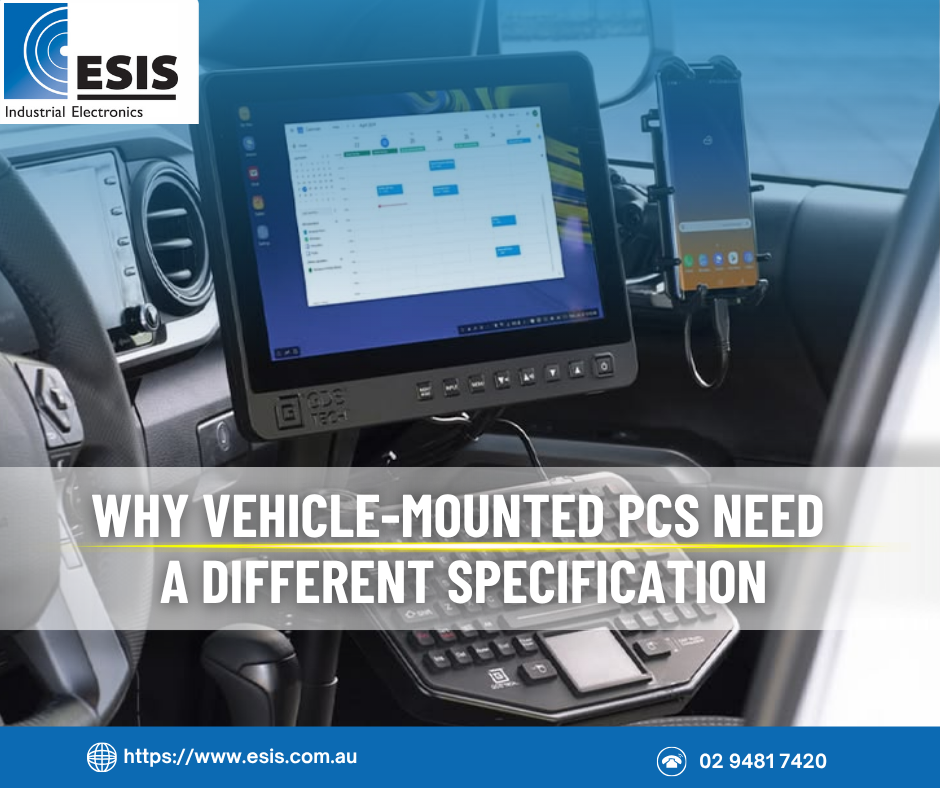
Vehicle and other mobile applications are fundamentally different from fixed installations. The hardware moves, and that movement can introduce shock, vibration, temperature extremes and power transients that a factory-floor PC never encounters. Getting the specification right requires understanding these differences, and designing for them from the outset.
In 2009, we built a batch of 1RU rackmount industrial PCs for installation in railway tamping machines. These are heavy maintenance vehicles that operate in harsh conditions: constant vibration, dust and long operating hours. The PCs were mounted under the cabin roof, built with industrial-grade components throughout and SSD storage to handle the vibration. Fan filtering managed the dust.
Those PCs ran reliably for years. When the customer eventually upgraded their machinery, they came back and ordered more of the same. That kind of repeat order, based on years of proven performance in a genuinely demanding application, is the best validation a specification can get.
It demonstrates exactly why it’s so important to consider the operating environment before anything else in the specification process.
Vibration and shock are the invisible killers
Vibration doesn’t usually cause a sudden, dramatic failure. It causes slow degradation: connectors that work loose, solder joints that crack, cables that chafe against metal edges. The symptoms are intermittent faults that can be difficult and frustrating to diagnose. The system that works perfectly on the bench develops random reboots or communication dropouts once it’s installed in a vehicle, and subjected to hours of continuous vibration.
Some time ago, we built custom 1RU rackmount servers for installation in operator consoles on naval vessels. These were put through formal shock and vibration testing by the customer, which they passed comfortably. But passing the test was the result of deliberate design choices during the build, not luck.
Every screw was secured with thread locker. Internal cables were firmly loomed and tied, not left hanging. Metal edge protection grommets were fitted wherever cables passed through chassis openings. Self-adhesive cable mounts were avoided wherever possible in favour of mechanical fixings. The IEC power plug was fitted with a cable retaining mechanism, and lockable connectors were used on all external I/O. None of these measures are expensive or complex. But each one addressed a specific failure mode that vibration will eventually find if left unmanaged.
For storage, SSDs are a baseline requirement for any vehicle-mounted PC. Mechanical hard drives contain spinning platters and moving read/write heads that are vulnerable to shock and vibration. An SSD has no moving parts and will survive conditions that would destroy a mechanical drive within months.
Power is the problem nobody sees coming
Vehicle power environments are far more hostile than most people expect. A vehicle’s electrical system is nominally 12V or 24V DC, but the actual voltage can vary dramatically during normal operation.
Engine cranking pulls the supply voltage well below nominal as the starter motor draws hundreds of amps, then releases it back above nominal within seconds.
Load dump is the most destructive event. If the battery is disconnected while the alternator is running, or if the battery terminals have a poor connection, the alternator output voltage can briefly spike as high as 100V. Similar spikes occur when inductive loads such as motors are suddenly switched off.
A standard 9-36V DC wide-range power input may not provide sufficient protection against these extremes. For vehicle applications, we recommend either a purpose-built vehicle power module with ignition-sense logic and wide input protection, or an external DC-DC converter designed specifically for automotive and marine power environments.
A number of CyberVisuell TBOX fanless PCs can be fitted with an optional vehicle power module that handles wide input voltage, transient protection and automatic shutdown logic. The ignition signal is simply wired to the module, and when the ignition is switched off, the module signals Windows to perform a clean shutdown before cutting power.
This prevents the logical drive errors and file system corruption that result from abruptly cutting power to a running PC, which is one of the most common problems in vehicle installations where the PC is simply wired to a switched ignition circuit.
Temperature is always hotter and colder than you think!
Internal cabin temperatures in a vehicle left in the Australian summer sun can reach past 70 degrees Celsius, even when the outside temperature is just 30, RACV tests show. A vehicle operating in a cold climate, or left overnight in winter, may start the day below zero. The PC needs to handle both extremes, and the transition between them.
Even in air-conditioned cabins, the PC should be rated for wide temperature operation. Air conditioning can fail, and when it does, a PC rated only to 35 degrees will not survive long in a cabin that quickly heats up. The railway tamping PCs and the naval servers were both installed in air-conditioned cabins, but specified to at least 50 degrees Celsius operating temperature as insurance against air conditioning failure. This is a sensible approach for any vehicle-mounted system.
Dust is the other environmental factor that needs active management. Vehicles operating on unsealed roads, construction sites, or in agricultural and mining environments generate enormous amounts of airborne dust.
For PCs with fans, dust filters must be accessible and maintained on a regular schedule. Overheating from clogged dust filters is a common and entirely preventable failure in these environments. Fanless PCs eliminate this maintenance burden entirely, which is one reason they are increasingly specified for vehicle applications.
Screens need to be visible across all conditions
If the PC includes a display in the vehicle cabin, screen brightness becomes a critical specification that is easy to underestimate.
During daylight, especially in direct sun or in a vehicle with large windows, a standard industrial LCD screen will be difficult or impossible to read. High-brightness panels with optical bonding and anti-reflective coatings are needed to maintain visibility. But at night, the same screen needs to dim to a very low level to preserve the operator’s night vision. A screen that cannot dim sufficiently becomes a serious distraction and safety issue in night operations.
The dimming mechanism matters too. A manual rotary knob gives the operator direct, predictable control. An automatic light sensor adjusts brightness based on ambient conditions, without operator intervention. The right choice depends on the application, but the dimming range needs to be specified and tested. A screen that dims to 30% of maximum brightness is not dim enough for night operations.
CyberVisuell offers a range of high-brightness LCD monitors and panel PCs designed for vehicle and marine applications, with wide dimming range, rotary dimming controls or automatic light sensing, and ruggedised construction, including IP65 front and IP54 rear models for marine bridge installations and full IP66 stainless steel models for outdoor and marine deck applications.
Mounting is a safety issue, not an afterthought
In a vehicle cabin, mounting is a safety consideration, not just a convenience. A screen, keyboard or PC that comes loose during operation, or during an emergency stop, is a hazard to the operator. Purpose-designed vehicle mounting systems from companies like RAM Mounts provide adjustable, lockable mounting solutions that keep equipment secure under vibration and shock, while allowing the operator to position the display for comfortable use.
Mounting also affects thermal performance. A PC mounted in a confined space with no airflow around it will run hotter than the same unit in free air. If the PC is fanless and relies on passive heat dissipation through its chassis, it needs adequate clearance around all surfaces to dissipate heat effectively.
Interactive or embedded: two different specifications
Vehicle-mounted computing broadly falls into two categories, and the right hardware choice depends on which one applies.
Interactive systems are used directly by an operator via a touchscreen. Think dispatch terminals on delivery vehicles, navigation and task management on forklifts, or situational awareness displays on emergency vehicles. For these applications, fully rugged tablets and purpose-built vehicle-mount terminals from manufacturers like Getac, Zebra and Advantech are often a good fit. They integrate the screen, compute, and input into a single ruggedised unit designed to be handled and interacted with.
Embedded systems perform automated functions without direct operator interaction, for example a communications hub on a fire service vehicle, a data logger on a mining haul truck or a gateway aggregating sensor data on a rail vehicle. For these applications, fanless box PCs like the CyberVisuell TBOX are well suited. They provide the I/O, connectivity, and processing power needed for the application in a compact, vibration-tolerant, fanless enclosure with vehicle-grade power input. We tendered a TBOX-based communications hub for a fire service authority, specified with multiple network and serial ports, a built-in 4G module and ignition-sense wide voltage power input. The TBOX was well regarded by the authority for its combination of rugged construction, wide temperature tolerance and the specific I/O configuration the application required.
Getting it right at specification time
Vehicle and mobile applications are less forgiving than fixed installations. The consequences of an incorrect specification appear sooner and are harder to work around. Getting it right at the outset avoids problems that are expensive and disruptive to fix once hardware is deployed across a fleet.
Specify for the real environment, not the ideal one. Rate for temperature extremes including air conditioning failure. Account for dust, vibration and power transients as they actually occur, not as nominal specifications suggest.
Manage power properly. Use vehicle-grade power modules or external DC-DC converters. Wire the ignition sense for clean shutdown. Don’t simply connect the PC to a switched ignition circuit and hope for the best.
Secure everything mechanically. Lock connectors. Loom cables. Use thread locker on screws. These details determine whether the system runs reliably for years or develops intermittent faults within months.
Choose the right form factor for the application. Rugged tablets for interactive use, fanless box PCs for embedded functions. Trying to make one do the other’s job usually results in compromises that affect reliability or usability.
How ESIS can help
We have built industrial PCs and servers for vehicle and mobile applications across rail, marine, emergency services, and defence. We understand the specific constraints of hardware that moves, from power management and vibration tolerance through to the build quality details that determine long-term reliability.
If you are specifying computing hardware for a vehicle-mounted or mobile application, we can help you develop a specification that accounts for the real operating environment and avoids the common pitfalls.