
If you’re designing a project that involves outdoor or semi-exposed enclosures, whether it’s for SCADA, HMI, networking or remote telemetry, temperature isn’t just an environmental factor. It’s a design constraint.
We’ve seen too many project failures come down to this: the gear was rugged, but the real-world heat build-up inside the enclosure was underestimated. A device rated to 60 °C ambient is no good if the internal temperature hits 70 °C by lunchtime.
Here’s what experienced integrators consider to make sure that doesn’t happen.

Estimating the max internal temperature
Outdoor enclosures heat up fast, even on a mild day. Solar loading (sunlight hitting the box) can easily push internal temperatures 10–30 °C higher than ambient, depending on the enclosure’s material, colour, orientation and airflow.
A basic estimate is:
Max internal temp ≈ ambient temp + solar load + equipment dissipation
Example:
-
40 °C ambient on a hot sunny day
-
+15 °C from solar gain (more if dark coloured, unshaded or unvented)
-
+10–15 °C from internal heat from electronics
You’re already pushing 65–70°C inside. That’s why design needs to assume worst-case – not average case – conditions.
A number of tools and test reports are available online to estimate heat in enclosures. It’s important to note that results can vary widely as there are several factors that influence the final temperature.
Design principles for harsh, high-temp environments
To keep electronics within safe operating range:
1. Use wide-temperature-rated equipment. Every device should be rated for at least –20 °C to +70 °C, preferably –40 °C to +85 °C for exposed or remote sites.
2. Minimise power dissipation. Fanless PCs, efficient power supplies and low-TDP CPUs reduce internal temperature rise.
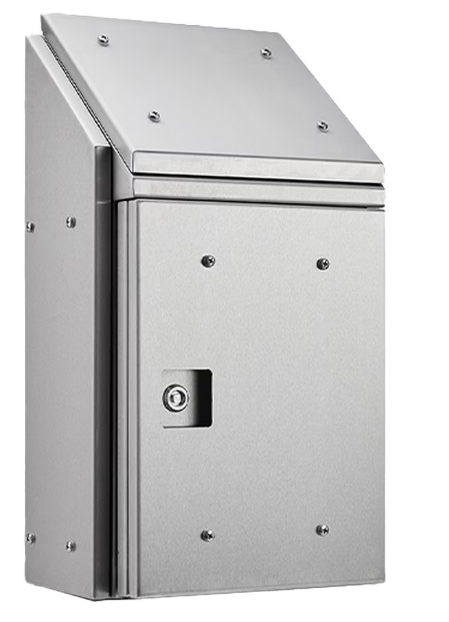
3. Pick the right enclosure finish. Use white or stainless steel for better heat reflection; avoid dark colours that trap solar heat.
4. Install shading and orient intelligently. Use hoods or shade structures and orient the enclosure to avoid direct sun, especially during peak hours.
5. Choose ventilated or active enclosures. Internal fans help equalise hot spots. In hot climates, use air exchangers or active cooling systems.
Don’t overlook condensation
It’s not just heat – rapid cooling (e.g. after storms or nightfall) can cause condensation inside enclosures. That moisture can corrode terminals, damage electronics or cause false triggers.
Prevention strategies include:
-
Use internal heaters with humidistats to keep air temperature above the dew point.
-
Add hydrophobic vent plugs to equalise pressure and humidity.
-
Specify conformal coating on PCBs if moisture is a risk.
Other critical factors that affect reliability
Even if the core equipment such as a PC is rugged, there are some often-overlooked elements that can still cause premature failure. These include:
1. Cable and connector selection
- Use industrial connectors rated for the load (e.g. M12, locking DC plugs, IP67 USB/RJ45 connectors)
- Avoid dangling consumer USB plugs in outdoor environments
- Secure all cables above the base of the enclosure to prevent vibration wear and condensation
2. Power supply design
- Use PSUs rated for high ambient temperature
- Derate the power supply load to the expected max temperature
- Consider DIN-rail power supplies with surge suppression
- If uptime is critical, include dual redundancy PSUs or battery backed UPS
- UPS batteries are also susceptible to temperature derating, and require regular replacement
3. EMC, transients and grounding
- Ground the enclosure and signal cables properly
- Use shielded comms and signal cables, and stainless steel conduits where critical
- Use proper lightning/surge protection devices, installed at the correct locations
- Ensure equipment is ESD and transient tolerant
4. Ventilated vs. sealed trade-offs
- Choose filtered, IP-rated vents if ventilation is required, and consider ongoing maintenance of filters
- For dusty or coastal installs, sealed / fanless may be more reliable
- Use a heat exchanger to transfer heat without affecting enclosure sealing
5. Temperature monitoring for critical sites
- Install internal temp/humidity sensors with remote monitoring
- Use SNMP-enabled PSUs or watchdog devices for proactive alerts
Missing a spec can compromise the whole design
At ESIS, we don’t just supply the PC – we help you build a fully reliable system. That includes recommending:
-
Wide-temp equipment.
-
Properly rated power, comms and HMI gear.
-
Enclosure accessories like ventilation, shielding or cooling.
-
Site-specific strategies for thermal load, lightning protection and condensation risks.
Have a project in motion? Call us on 02 9481 7420 or email us your specs.
We’ll help you get it right the first time, with no costly surprises later!
ESIS Industrial Electronics offers a range of industrial computing solutions, including rugged tablets, data loggers, industrial displays, integrated computing platforms and programmable interfaces for direct PLC integration. Talk to us about solutions to keep your business operations running efficiently.


