
The rules for specifying industrial PCs in water, gas and power plants are fundamentally different from a factory floor, and it’s vital to take a range of factors into account for these environments.
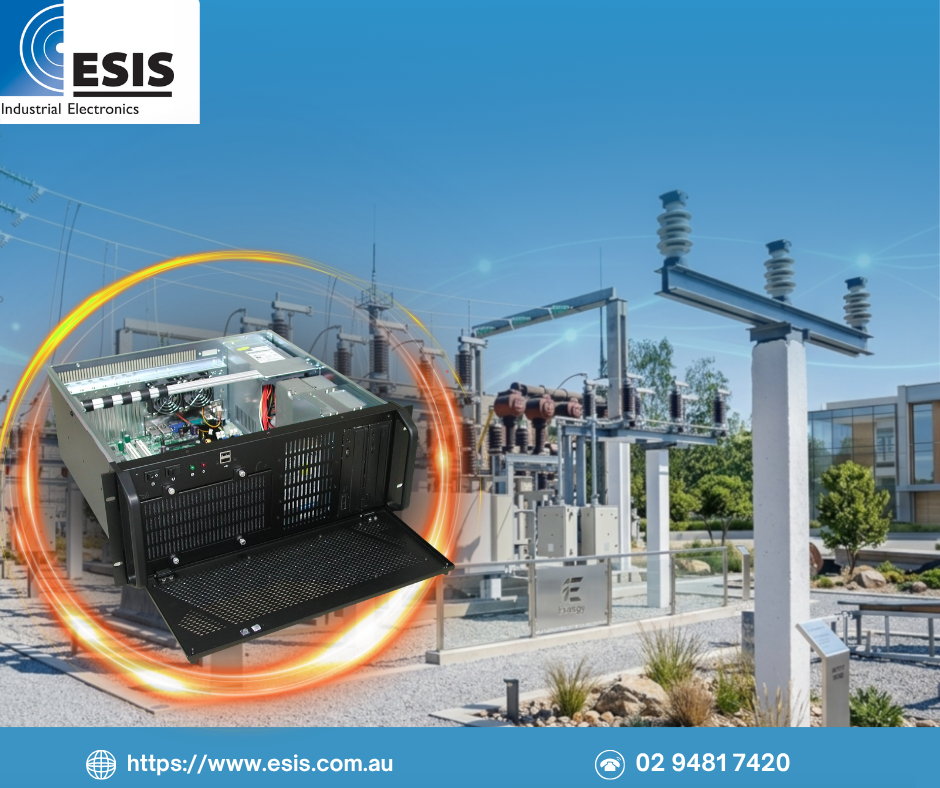
A few years ago, we supplied a fleet of industrial servers to Powerlink Queensland for installation in high voltage electricity transmission substations across the state. These were not off-the-shelf units. They were custom-built rackmount servers with industrial server motherboards, Xeon CPUs, ECC memory, hardware RAID and IPMI remote management, powered from 48VDC or 110VDC station supplies. Some also had redundant power supplies.
The specification was driven by a simple reality: these substations are remote, access is difficult and expensive, and the servers control critical plant and equipment. When the nearest technician is hours away, you design differently.
Powerlink’s approach to managing these servers illustrates something we see consistently across the utilities sector. The differences are not always obvious until something goes wrong!
Here’s what to consider.
Remote access changes everything
At a manufacturing plant, a crashed PC means someone walks across the factory floor and restarts it, or perhaps swaps it out. On a remote utility site, a hung PC might mean a four-hour drive, a permit-to-work process and a technician who needs specific site access training before they can enter.
This changes what matters in a specification. Features that are optional in a factory become essential at a remote site. IPMI or out-of-band management, which lets you monitor hardware health, reboot and access the BIOS remotely, was a core requirement for the Powerlink servers. Without it, diagnosing a problem would have meant sending someone to site before they even knew what tools or spare parts to bring.
For the same reason, redundant power supplies become a justifiable cost rather than a luxury. A single power supply failure that would be a minor inconvenience in a server room becomes a site visit and potential service disruption at a remote substation.
Power is not what you expect
Utility sites rarely run on stable mains power. Water treatment plants and pumping stations often have variable power quality, with surges and sags from pumps and motors cycling on the same supply. Substations run on DC station supplies at 48V or 110V. Remote sites may run on solar with battery backup.
We have supplied a large number of industrial panel PCs to water utility sites across Queensland, typically 19″ and 21.5″ units installed into MCC switchboard doors, running Citect SCADA on Windows 10 or 11 Enterprise. These are specified with 9-36V DC wide voltage input for exactly this reason. Despite that, we have had a small number of failures where the internal DC-DC converter was damaged by power surges, likely caused by large inductive loads on the same supply or perhaps from lightning.
Standard 12V DC power input with a mains adaptor would not survive long in these environments. Wide voltage input is a minimum requirement, and depending on the site, additional surge protection at the supply side is worth considering. For critical installations, redundant power supplies eliminate the single point of failure entirely.
Temperature is higher than you think
A panel PC installed in an MCC switchboard door in Queensland is not operating in a climate-controlled environment. Inside a switchboard enclosure in a plant building, ambient temperatures can easily reach 40 to 50 degrees Celsius. The PC needs to operate reliably at those temperatures continuously, not just survive brief peaks.
This rules out most commercial and many standard industrial PCs. Fanless designs are preferable where possible, as fans are a common point of failure in hot, dusty environments. But fanless operation at sustained high temperatures requires a chassis designed for passive heat dissipation, and a CPU and memory configuration that does not exceed the thermal envelope of that chassis.
Getting this wrong means premature component failure, often of the storage drive or power supply, which are the components most sensitive to sustained heat.
The standardisation trap
Powerlink took a deliberate approach to managing their server fleet: every unit was built to exactly the same hardware specification, with the same BIOS version, the same firmware and the same configuration. This was not arbitrary. They had invested significant time and cost in testing, validating and documenting a specific hardware and software combination. Changing any component meant repeating that process.
This is a sound engineering approach and it served them well for years. But it created a long-term constraint. When they eventually needed to upgrade VMWare and their operating system to newer versions, the legacy hardware was not fully supported. The upgrade required additional engineering effort to work through compatibility issues that would not have existed on current hardware.
This is a tension that every utilities organisation faces. Standardisation reduces risk and operational cost in the short to medium term. But hardware platforms have a finite lifecycle, and the longer you maintain a fixed specification, the harder the eventual transition becomes. The practical answer is not to avoid standardisation, but to plan for the transition points from the outset. Knowing when a hardware platform will reach end of life, and when the software stack will require newer hardware, allows you to manage the change on your own schedule rather than being forced into it.
Compliance and documentation overhead
Utilities operate under regulatory frameworks that manufacturing sites often do not. Depending on the sector and jurisdiction, there may be specific requirements around cybersecurity, data retention, system redundancy and change management.
The documentation effort alone can be substantial. For Powerlink, the cost of validating and documenting a new hardware configuration was significant enough to drive a deliberate strategy of hardware standardisation across their fleet. This is common in the sector. The PC itself might cost a few thousand dollars, but the testing, validation, documentation and change management process around it can cost much more.
This has practical implications for how you specify and procure industrial PCs for utility sites. Selecting a hardware platform with a long production lifecycle, from a manufacturer that provides advance notice of component changes, reduces the frequency of revalidation. It also means your supplier needs to understand this constraint and manage the supply chain accordingly, rather than substituting components without notice.
What to get right at specification time
If you are specifying industrial PCs for utility sites, these are the considerations that matter most:
- Power input. Match the power input to the actual site supply, not the ideal supply. Wide voltage input should be the default. Consider redundant supplies for critical systems, and additional surge protection where the PC shares a supply with inductive loads.
- Thermal rating. Specify for the actual operating temperature inside the enclosure, not the ambient room temperature. Allow margin. A PC rated to 50 degrees Celsius operating in a 50 degree enclosure has no headroom.
- Remote management. For any site where physical access is difficult or expensive, out-of-band management such as IPMI is a practical necessity, not a nice-to-have.
- Platform lifecycle. Ask your supplier about the expected production lifecycle of the hardware platform. Utility projects need platforms that will be available and consistent for years, not consumer product cycles measured in months.
- Upgrade path. Standardisation is valuable, but plan the transition points. Understand when the hardware platform and the software stack will diverge, and budget for the revalidation when they do.
How ESIS can help
We have supplied industrial PCs and servers into water, wastewater, and power infrastructure across Australia for many years. We understand the specific constraints of utility environments, from power supply and thermal requirements to the documentation and lifecycle management that utilities organisations depend on.
Whether you are specifying panel PCs for SCADA installations, building out a fleet of remote site servers, or reviewing ageing hardware across your utility network, we can help you develop a specification that accounts for the realities of the site, not just the datasheet.
Contact us to discuss your project requirements.


